Coming soon to the App Store · iPhone
Your car in Punta Cana, in your pocket.
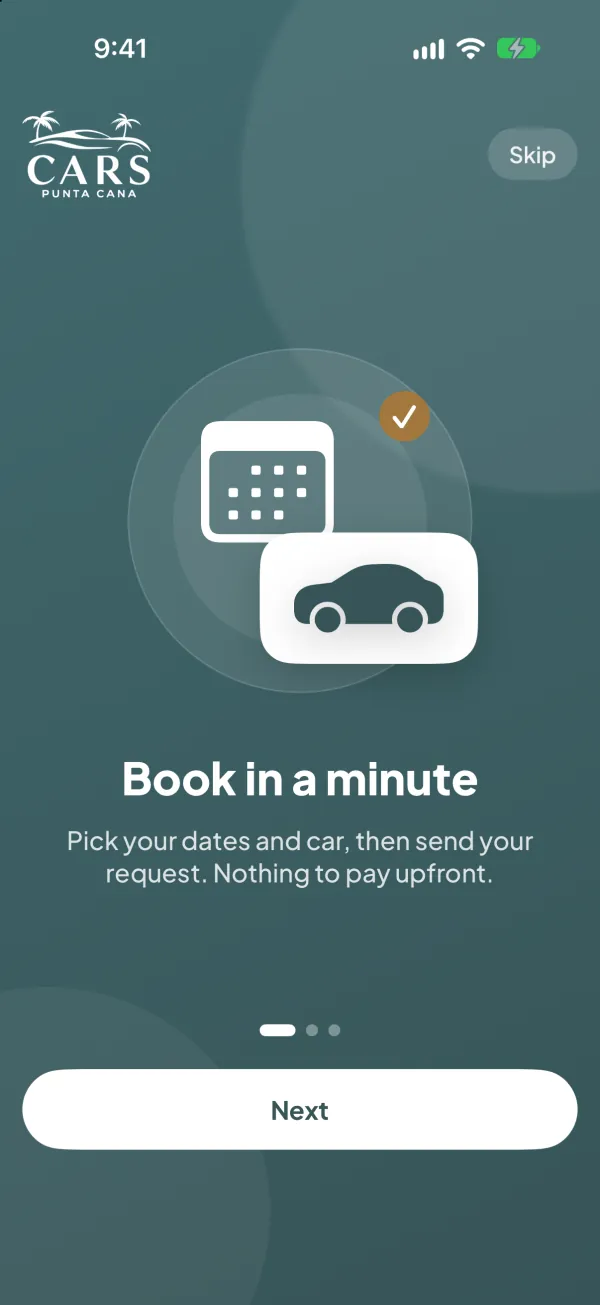
Book a car or a VIP transfer in a minute, sign the rental agreement before you land and follow your car on the map while we bring it to you.
Coming soon to theApp Store
Book on the websiteiPhone only for now — book on the website.
How it works
Book in three steps.
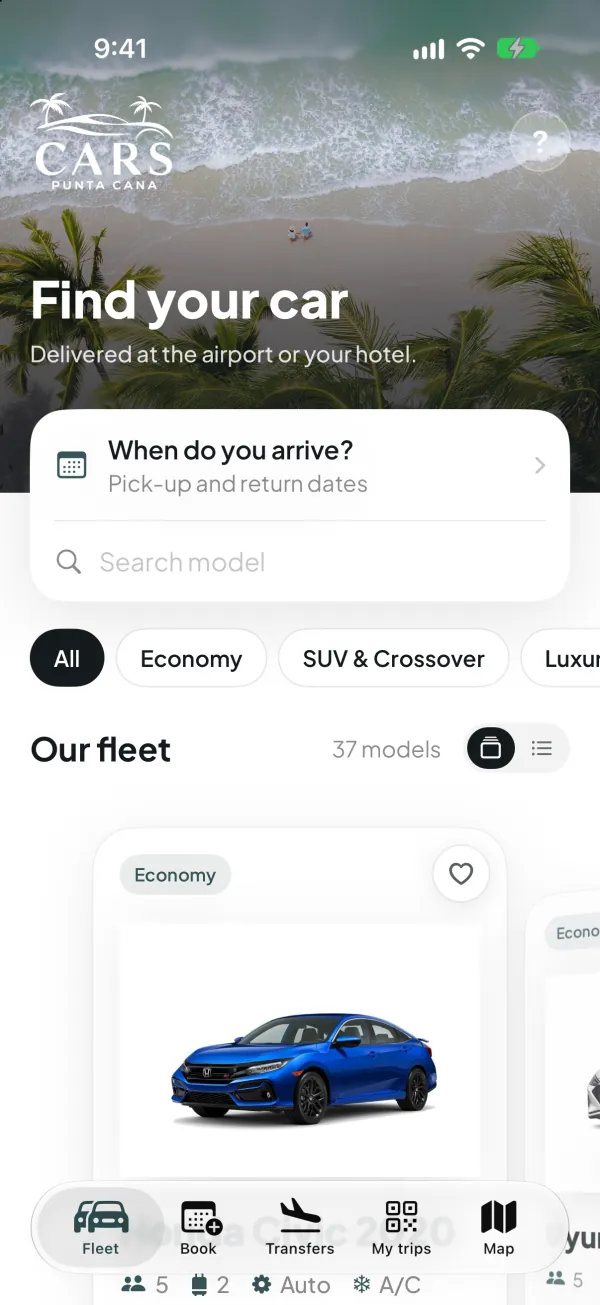
Dates first, so you only see the cars that are really free for your trip.
-
Your dates
Tell us when you arrive and when you leave. The fleet shows what is available for those days.
-
Car, place and extras
Pick it up at Punta Cana airport (PUJ), at your hotel or at any address. Add a child seat, booster, extra driver or GPS.
-
We confirm
Send the request with nothing to pay upfront. We confirm the price with you by WhatsApp or email.
Your trip, start to finish
From booking to keys, all in one place.
This is how it looks inside the app.
-
Step 01 / 04
Choose your car
Real photos and the details that matter: passengers, bags, doors, transmission. Pick the one you like and tap Book this car.

-
Step 02 / 04
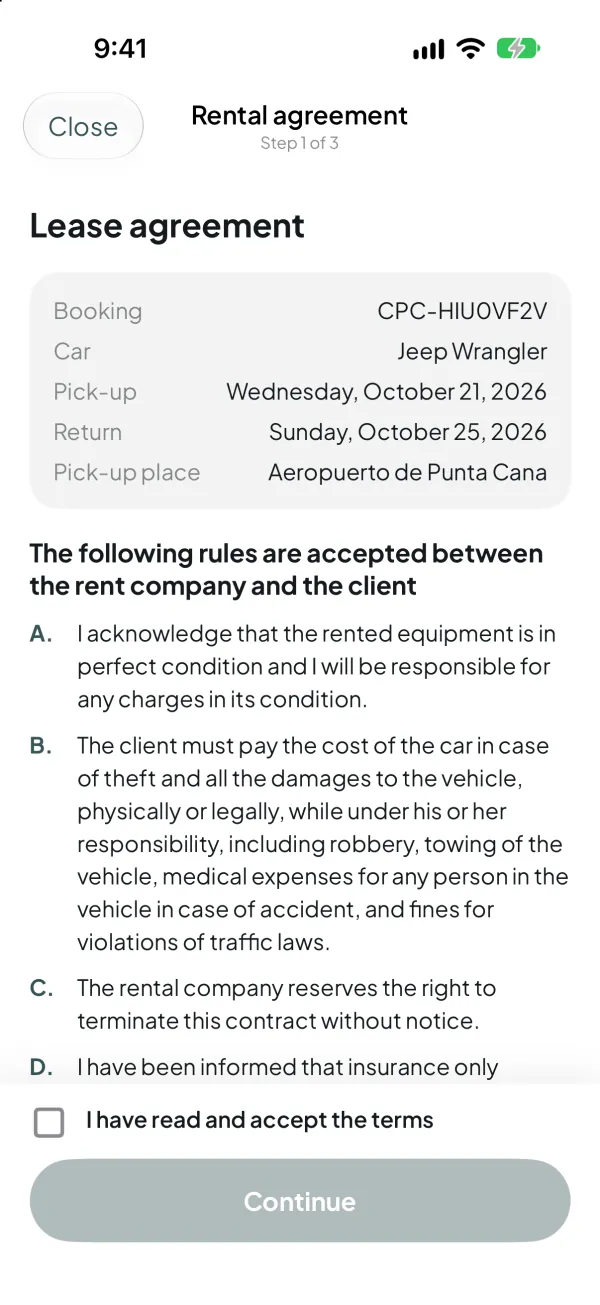
Sign before you arrive
Read and sign the real rental agreement in the app. The signed PDF arrives in your email, so pick-up takes minutes instead of paperwork.
-
Step 03 / 04
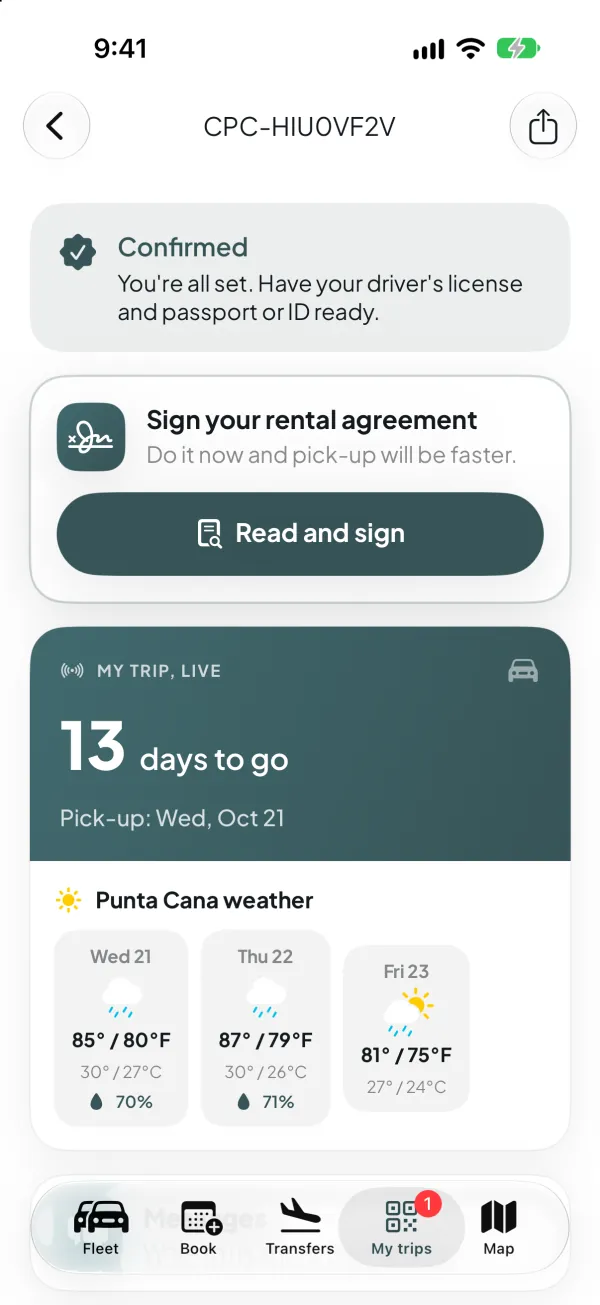
Watch your car arrive
On delivery day, follow the driver on the map with an estimated arrival time: your car is on the way. Until then, My trips shows the countdown and the Punta Cana weather.
-
Step 04 / 04
Show your pass at pick-up
Your booking pass carries a QR code that our team scans when they hand you the keys. Share it, add it to your calendar or get directions.

What's inside
Everything you need for the trip, and nothing you don't.
-
The whole fleet, with real photos
From economy to SUVs and luxury: every model with its photos, passengers, bags and transmission. Save your favorites to compare later.
-
VIP airport transfers
Need a ride instead of a car? Book a private VIP transfer from the airport in the same app.
-
My trips
Each booking with its QR pass, directions, a button to add it to your calendar and the weather for those days. Share the pass with whoever is traveling with you.
-
Chat with our team
Questions about your booking? Write to us from the trip itself and the conversation stays with your reservation.
-
Deposit and charges, clearly
See the security deposit and the charges of your rental before pick-up. No surprises at the counter.
-
Reminders and notifications
A reminder before pick-up and a notification whenever something changes in your booking.
-
Rate your trip
When you return the car, tell us how it went with a few stars and a comment.
-
Cars Club points
Your rentals add up points in Cars Club, and you can see them in the app.
-
Widget, Live Activity and dark mode
Your next trip on the Home Screen and on the Lock Screen. Dark mode included.
-
Works offline
No signal at the airport? The fleet is still there once you have opened the app.
-
English and Spanish
The whole app in both languages.
- The app is free
- US$0
- For iPhone
- iOS 17+
- Two languages
- EN · ES
- Book with your name and contact
- No account
Questions
What people ask before downloading it.
Is the app free?
Yes. Downloading and using the app is free. You only pay for your rental, and there is nothing to pay upfront.
Which phones does it work on?
iPhone with iOS 17 or later. There is no Android version yet: from Android, or from any computer, you can book the same way on our website.
Do I pay in the app?
No. The app does not take payments. You send the request and we confirm the price with you by WhatsApp or email before anything is final.
Do I need an account?
No. The app has no customer accounts: you book with your name and contact details, and the app remembers them on your phone.
Which languages is it in?
English and Spanish.
Is my data safe?
We only use your details to manage your rental. No ads, no tracking, and we do not sell your data. Read the app privacy policy.
Land in Punta Cana with your car already sorted.
The app is almost here. Meanwhile, you can book the same cars on our website, and we answer on WhatsApp 24/7.
Coming soon to theApp Store
Book on the websiteiPhone only for now — book on the website.